26 Keystatic Alternatives for Developers & Agencies
Keystatic is a lovely developer tool. When the editors are clients, GitHub logins, a per-site schema, and direct publishing hurt. Here are 26 alternatives.
No credit card, cancel anytime.
TL;DR
Quick answer: If the editors are clients, use CMS Brew ($39/mo for 5 sites). Editors without GitHub accounts, for free? Pages CMS or Sitepins. Visual editing? TinaCMS on React, CloudCannon everywhere else. A classic panel with PR drafts? Decap or Sveltia. The rest depends on who edits the site, keep reading.
The alternatives
26 Keystatic alternatives worth considering.
Each entry opens with its own homepage, captured September 2026. The whole Git-based category, ranked with prices and cons, is on bestgitbasedcms.com.
 cmsbrew.com
- Chat editing
- Client handoff
- Review included
- Hosted
- Framework-neutral
Best for agencies handing finished sites to non-technical clients
CMS Brew removes the three handoff frictions at once. There is a review step, the one thing Keystatic has no equivalent for: per-field guard levels decide what publishes freely and what waits for your approval, with out-of-scope requests escalated to you with the client's original words. There is no admin UI for the client to learn, because they describe the change in chat and watch it in a live preview. And sign-in is built in: Google or an emailed 6-digit code, never GitHub.
No schema is involved either, since connecting the repository maps the editable text and images automatically. Every publish is one Git commit to your repository with one-click revert, so the Git-native publishing model that drew you to Keystatic stays.
Pros
- Review-before-publish, which Keystatic has no equivalent for
- Clients edit by chat, with nothing to relearn between rare visits
- No GitHub accounts or Cloud seats for editors, sign-in is built in
- Framework-neutral: any repo that rebuilds from Git
Cons
- Paid, while Keystatic's core is free
- Files are edited through the product, not designed for hand-editing side by side
- Clients cannot create new pages; those escalate to you
Pricing $39/mo for 5 sites, unlimited editors, 7-day free trial.
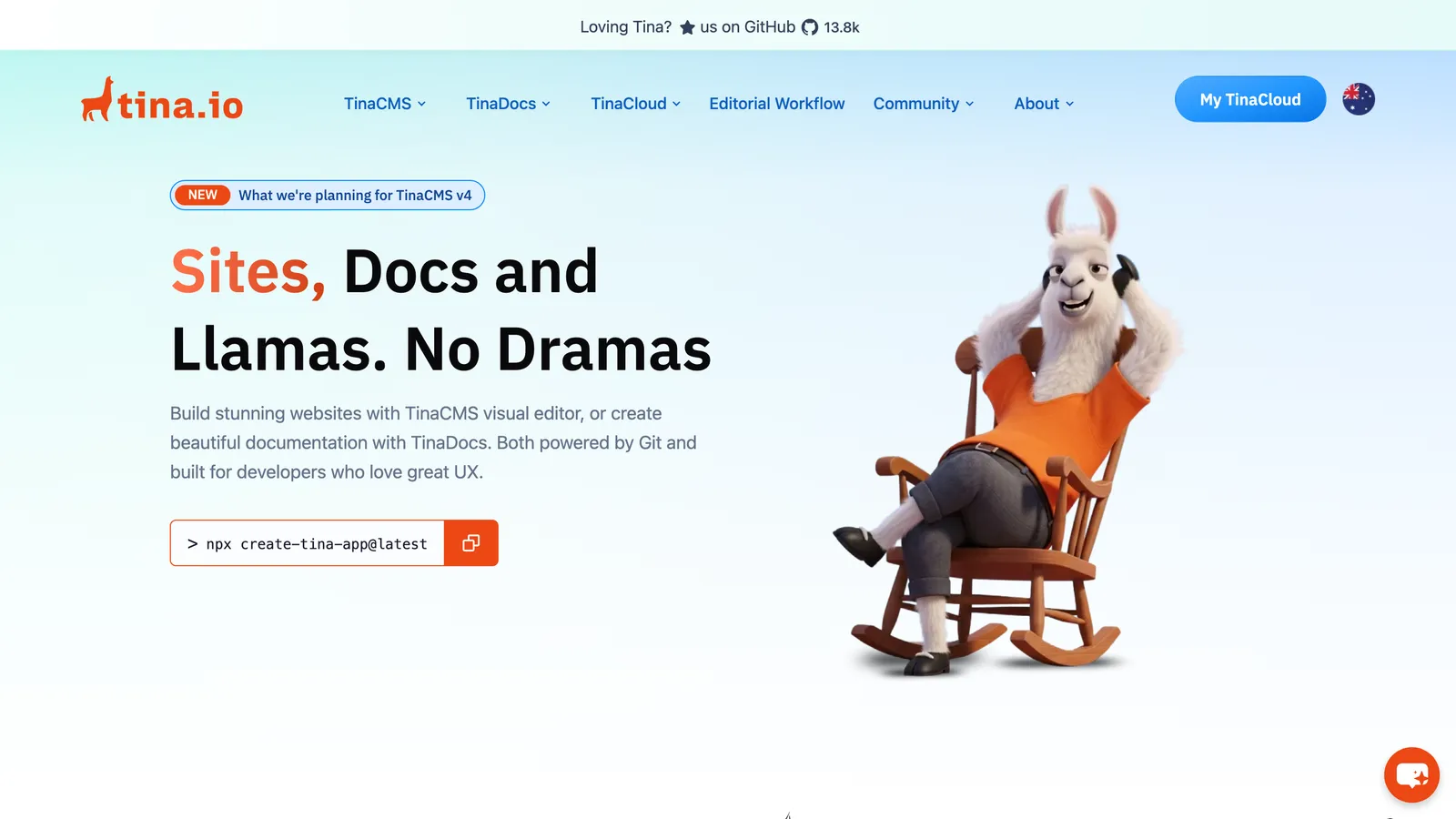
Best for adding visual editing to a React site
Tina shares Keystatic's schema-in-code philosophy but points it at visual editing: editors work on the page itself, strongest in React. For a daily-editing content team, that is a real upgrade over an admin UI.
The costs are the mirror image of Keystatic's simplicity: Tina's client, data layer, and GraphQL API become part of your site, and the editorial workflow that adds review to client edits starts at TinaCloud's $49 per month Team Plus tier.
Pros
- In-place visual editing editors enjoy
- Open-source core, content stays in the repo
- Schema-in-code, familiar territory for Keystatic users
Cons
- Adds a client, data layer, and API to your site
- React-first; other frameworks get less
- Review-before-publish starts at the $49/mo TinaCloud tier
Pricing Open-source core (Apache-2.0); TinaCloud free for 2 users, Team $29/mo, editorial workflow from Team Plus at $49/mo.
 sveltiacms.app
- Git-based panel
- Free
- Open source
- Framework-neutral
- Beta
Best modern config-based panel
Sveltia CMS is the actively developed modern heir to Netlify/Decap CMS: a fast, polished admin panel over a YAML config, free and MIT-licensed, with first-class i18n, asset management, and a PR-based editorial workflow on GitHub and GitLab. It is framework-neutral, so stacks outside Keystatic's official Next.js, Astro, and Remix support are no problem.
It swaps Keystatic's code-defined schema for a config file, which you still maintain per site, and sign-in is an OAuth flow you wire yourself, so editors still need Git accounts. It is a 0.x beta from one maintainer, with 1.0 planned for late 2026.
Pros
- Free (MIT), actively developed, framework-neutral
- Polished editor UI with i18n and asset management
- PR-based drafts, a review step Keystatic lacks
Cons
- Config file maintained per site
- OAuth sign-in wired by you; editors need Git accounts
- Still 0.x beta from one maintainer
Pricing Free and open source (MIT).
 pagescms.org
- Git-based panel
- Free
- Open source
- Hosted
- GitHub only
Best free option that fixes the sign-in problem
Pages CMS attacks exactly the friction that sends people away from Keystatic: editor sign-in. It is free and MIT-licensed, has a hosted version, and editors join by email invite, so nobody needs a GitHub account or a paid seat. Content types are described in a single config file.
It is a young project, GitHub-only, and features like granular permissions and scheduling are still on the roadmap. There is also no review step. But as a free landing spot for a client site whose editors could never be given repo access, it is very direct.
Pros
- Free with a hosted version, editors join by email invite
- No GitHub accounts or OAuth wiring for editors
- Simple config, clean UI
Cons
- Config file per site, GitHub-only
- Granular permissions and scheduling still on the roadmap
- No review step before publish
Pricing Free and open source (MIT); hosted version free, or self-deploy.
 decapcms.org
- Git-based panel
- Free
- Open source
- Framework-neutral
- PR drafts
Best battle-tested classic panel
Decap CMS, formerly Netlify CMS, is the longest-serving Git-based panel: a form admin over a config.yml with years of production miles and a large body of community knowledge. On GitHub it offers an editorial workflow, drafts moving through pull requests, which is a review step Keystatic does not have.
It is showing its age in places: the classic Git Gateway login is deprecated so auth is on you until the hosted Decap Turbo leaves closed beta, and the UI is dated, though releases have picked up again in 2026.
Pros
- Free, mature, framework-neutral
- Editorial workflow provides PR-based drafts on GitHub
- Huge installed base and community answers
Cons
- config.yml per site, bring-your-own OAuth
- Dated editing UI
- Hosted auth (Decap Turbo) still in closed beta
Pricing Free and open source.
 sitepins.com
- Git-based panel
- Free tier
- Open source
- Hosted
- Agency orgs
Best free hosted panel for agencies, GitLab on paid tiers
Sitepins is the closest thing to a direct rival on this list: a Git-based panel aimed at handing Astro, Next.js, Hugo, and other framework sites to non-technical teammates and clients. It auto-detects fields from existing Markdown and front matter, invites editors by email so nobody needs a GitHub account, and organizes sites into per-client organizations. Open-sourced under AGPL in July 2026, with a free hosted Hobby tier.
It is a form-based admin, not chat: editing a post means a Frontmatter tab of fields and a Content tab with a rich-text toolbar. Review is a branch-and-pull-request workflow on the Pro plan, coarser than a per-field policy, and the free tier is one user and three sites.
Pros
- Free hosted tier, cheap paid tiers, unlimited AGPL self-hosting
- Editors join by email, sites grouped in per-client organizations
- Fields auto-detected from Markdown and front matter
Cons
- Form-based panel a rare editor must relearn
- Review is a Pro-plan branch and PR flow, not per edit
- GitLab only from the $29 Team plan; one user on the free tier
Pricing Hobby free (3 sites, 1 user); Pro $12/mo, Team $29/mo, Agency $49/mo, less on annual billing; lifetime licenses from $249; self-hosting free under AGPL.
 cloudcannon.com
- Visual editor
- Visual editing
- Hosted
- Per-seat
- GitHub, GitLab, Bitbucket
Best paid, hosted visual editing
CloudCannon is the commercial answer to the whole category: hosted, supported, visual editing on Git-backed sites across GitHub, GitLab, and Bitbucket, with editor accounts managed by the platform rather than by repo access.
It costs real money, from $55 per month for 3 users plus $10 per extra user, with branching workflows on the larger Team tier, and you still configure the editable regions per site. For agencies whose clients want to click on the page, it is the strongest option.
Pros
- Visual, in-context editing, hosted and supported
- Editor accounts without repo write access
- Multi-Git-provider, agency-oriented features
Cons
- Per-user pricing grows with client editors
- Workflow features on the $300+/mo Team tier
- Editable regions configured per site
Pricing From $55/mo (3 users, unlimited sites), extra users $10/mo; 21-day trial.
 outstatic.com
- Git-based panel
- Free self-hosted
- Next.js
- Markdown
- Source-available
Closest free alternative for a Next.js site
Outstatic is a Git-based dashboard for Markdown and MDX that installs inside a Next.js app, or runs as a hosted PRO dashboard over any GitHub repository. Collections, custom fields, singletons, and a metadata index cover most content sites, and the free self-hosted version is unlimited.
It is source-available under the Functional Source License rather than open source, GitHub-only, and its statuses stop at draft or published: there is no approval step, and team roles are a PRO feature. Free-tier editors sign in with GitHub; PRO adds email magic links and Google.
Pros
- Free self-hosted version with the full feature set
- Hosted PRO dashboard with email and Google sign-in
- Actively maintained, frequent releases
Cons
- Self-hosted install is Next.js only; GitHub only
- Draft or published, no review step; roles are PRO-only
- Source-available (FSL), not open source
Pricing Free self-hosted; Outstatic PRO $9.99 per user per month hosted, 14-day trial. Source-available (FSL-1.1).
 gitcms.dev
- Git-based panel
- One-time price
- Markdown
- Review workflow
- GitHub only
Best one-time price for a Markdown content layer
GitCMS is a hosted, Notion-like editor for the Markdown and MDX in a GitHub repository: slash commands, a kanban content board, front-matter forms, and MCP access so ChatGPT or Claude can draft into it. It supports a long list of generators, from Astro and Hugo to Docusaurus and Zola.
Review before publish is built in and on by default, with Owner, Admin, Editor, Reviewer, and Viewer roles, and collaborators sign in with Google or GitHub. It stops at the Markdown layer: copy hardcoded in components is out of scope, and it is GitHub-only and proprietary. The price is the unusual part, a one-time license per site.
Pros
- One-time $49 per site during launch, no subscription
- Review-before-publish on by default, with reviewer roles
- Block editor plus MCP access for AI drafting
Cons
- Markdown and MDX only; component copy is out of reach
- GitHub only, no self-hosting
- One seat included, extra seats cost extra
Pricing $49 one-time per site during launch ($79 regular), 1 seat included, extra seats $9 each; free preview mode, no self-serve free plan.
 frontmatter.codes
- Developer tool
- Free
- Open source
- VS Code
- Local only
Best for developers who edit content in VS Code
Front Matter CMS is a CMS that lives inside VS Code: a dashboard for the Markdown and MDX in your repository, front-matter forms, data files, and media, with no server or hosted service involved. It works with Astro, Hugo, Jekyll, Eleventy, Next.js, and most generators, and it is free and MIT-licensed.
That makes it a developer's tool, not a client handoff. Every editor needs the repository cloned and VS Code installed, changes go out as their own commits with no review step, and the maintainer's 2026 note says feature work now depends on sponsorship.
Pros
- Free and open source, no server to run
- Works with almost any static site generator
- Front matter, data files, and media in one dashboard
Cons
- Editors need VS Code and a clone of the repository
- No review step, no hosted sign-in
- Feature development throttled without sponsorship
Pricing Free and open source (MIT).
 unfreez.app
- Visual editor
- Click-to-edit
- Client-billed
- Component copy
- GitHub only
Best client-billed click-to-edit layer for component copy
Unfreez makes a hand-coded Next.js, Astro, Vue, or Svelte site editable without a CMS: it parses the source, pins each human-facing value to a path in the syntax tree, and the client edits on a live copy of the page. Every publish is one signed Git commit with one-tap undo, and, unusually, the bill goes to the client: €90 per site per year through an activation link the developer sends.
The developer curates which values the client may touch, per site, and everything else stays locked. Its pitch is deterministic, no model in the loop and a refusal to write on any ambiguity. There is no review queue and no escalation path; an out-of-scope request is simply a field that was never unlocked. GitHub is the connected provider, and the product is a few months old.
Pros
- Edits copy inside components, not only Markdown
- Client-billed at €90 per site per year, unlimited editors
- One atomic commit per publish, one-tap undo
Cons
- Developer unlocks every editable value per site by hand
- No review queue or escalation for out-of-scope asks
- GitHub only; young product with no public changelog
Pricing €90 per site per year excl. VAT, billed to the client; unlimited editors; 14-day free trial, no card.
 cmschat.ai
- Chat editing
- Client handoff
- Escalates to PR
- Private beta
- GitHub only
Closest chat-based rival, for teams that can wait out a private beta
CMS Chat is the other chat-to-edit product on this list: clients change text, images, prices, and links by chatting, and every edit lands as a plain Git commit on a branch you control. Its zone model is a real review story. Editable zones commit straight away, Warn zones ask for confirmation, Escalate zones open a GitHub pull request for your team, and Locked zones refuse.
It is in private beta behind a waitlist, GitHub-only, and priced for agencies: Starter is €99 per month for one site and Agency €249 for three, billed by invoice with no free tier or trial. Self-hosting is explicitly not offered.
Pros
- Chat editing with a zone-based review model
- Edits copy inside TSX and MDX components, not only Markdown
- Unlimited client users on every tier
Cons
- Private beta behind a waitlist, no trial and no free tier
- From €99/mo for a single site
- GitHub only, no self-hosting
Pricing Starter €99/mo (1 site), Agency €249/mo (3 sites), Studio €499/mo (10 sites); private beta, invoiced, no free tier.
 reactbricks.com
- Visual editor
- Visual blocks
- Hosted
- React
- Per-seat
Best visual block editing for a Next.js or Astro marketing site
React Bricks is a visual CMS for React where you define content blocks, the bricks, in code and editors compose pages by clicking on them. Content lives in React Bricks' hosted database and API, with Next.js and Astro as the documented frameworks, scheduled publishing, and editors invited by email.
It is priced for companies, not brochure sites: Professional is $179 per month with 3 users and $29 for each extra one, the free plan is one user and ten pages, and the approval workflow and working copies are Enterprise options.
Pros
- Real visual block editing that editors enjoy
- Scheduled publishing and unpublishing on Professional
- Roles and permissions, EU-hosted content
Cons
- Content leaves your repo for a hosted database
- $179/mo Professional; the free plan is 1 user and 10 pages
- Approval workflow is Enterprise-only
Pricing Free (1 user, 10 pages); Professional $179/mo (3 users, $29 per extra user, 100 pages); Enterprise custom.
 plasmic.app
- Visual editor
- Visual builder
- Open source
- React
- Free tier
Best open-source visual builder for React
Plasmic is an open-source visual builder plus headless CMS for React: designers and content creators build in Plasmic's cloud studio, and the result reaches your Next.js, Gatsby, Remix, or TanStack site either through a runtime loader or as generated React code committed to the repository. The core is MIT and the platform AGPL, with on-premise deployment available.
The free plan allows three collaborators with a Plasmic badge; Starter is $39 a month billed yearly, and content creator mode, the role a client would use, only arrives on Scale at $399 a month. There is version history and scheduled content, but no approval workflow.
Pros
- Open source (MIT core), free for 3 collaborators
- Codegen mode writes real React components into your repo
- Powerful design tooling
Cons
- Content creator mode starts at $399/mo Scale
- No approval workflow
- A design tool to learn, heavy for small content edits
Pricing Free (3 collaborators); Starter $39/mo billed yearly; Pro $103/mo; Scale $399/mo with content creator mode; Enterprise custom.
 nuxt.studio
- Visual editor
- Free
- Open source
- Nuxt only
- GitHub, GitLab
Best free option if the site is Nuxt
Nuxt Studio went open source and free in 2026: a Nuxt module that mounts an editor at /_studio on your own production site, edits the Nuxt Content files in the repository with a live preview, and commits to GitHub or GitLab. Editors sign in with GitHub, GitLab, or Google, and there are no seats to buy. The former hosted subscription was cancelled for everyone.
It is Nuxt with Nuxt Content only, the site has to be deployed with server-side rendering, and publishing commits straight to the configured branch: pull-request generation is still an open roadmap item, so there is no review step yet.
Pros
- Free and MIT, no seats, self-hosted inside your Nuxt site
- GitHub and GitLab, with Google sign-in for editors
- Live preview of the real site while editing
Cons
- Nuxt with Nuxt Content only, SSR deployment required
- No review step; commits go straight to the branch
- Young as an open-source module, roadmap still open
Pricing Free and open source (MIT); the hosted subscription was discontinued.
 docs.netlify.com
- Visual editor
- Visual editing
- Netlify teams
- Docs only
- GitHub, Bitbucket
Best if the team already lives in Netlify
Netlify Visual Editor is what Stackbit became: a visual, in-context editing layer over a content source, either the files in your Git repository or a headless CMS like Contentful, Sanity, or DatoCMS, for Next.js, Astro, Nuxt, SvelteKit, Eleventy, Gatsby, and any custom dev server. Editors are Netlify team members, and roles separate Internal Builders, who save work for review, from Publishers.
It is a quiet corner of Netlify now: the marketing pages are gone and only the docs remain, updated through 2026. It accepts GitHub and Bitbucket repositories, not GitLab, and inviting a client editor needs a Pro team at $20 per month, since Free and Personal plans cannot add members.
Pros
- Visual editing over repo files or a headless CMS
- Reviewer and Publisher roles; Git publishes can open a PR
- Unlimited team seats on the $20/mo Pro plan
Cons
- No marketing page; the product lives in the docs
- GitHub and Bitbucket only, no GitLab
- Editors must be Netlify team members on a Pro team
Pricing Netlify Pro from $20/mo with unlimited team members; which plans include Visual Editor is not stated on the pricing page.
 spinalcms.com
- Git-based panel
- Hosted
- Markdown
- Scheduling
- EU-hosted
Best scheduled publishing for a Markdown marketing blog
Spinal is a hosted CMS for the Markdown in a GitHub repository, built around written marketing content: a WYSIWYG editor, draft and scheduled statuses, and optional kanban and calendar power-ups. Team members sign up with email and password, and it lists Eleventy, Astro, Hugo, Jekyll, Docusaurus, and a dozen other generators.
It is one $39 per month plan with a five-member minimum, GitHub-only, and while Authors cannot publish, there is no approval flow beyond that role split. Copy outside Markdown is out of scope.
Pros
- Scheduling and a content calendar for a blog team
- Editors sign in with email, no GitHub accounts
- Hosted in the EU, no CMS code in your site
Cons
- $39/mo with a 5-member minimum, card required for the trial
- Markdown content only, GitHub only
- Role split, but no per-edit review
Pricing Pro $39/mo (5 members minimum, $4 per extra member; 1,000 entries, 10 collections); power-ups $9/mo each; 7-day trial, card required.
 payloadcms.com
- Headless platform
- Open source
- Self-hosted
- Next.js
- Database
Best when the project is really an application
Payload is a code-first, open-source CMS that runs inside a Next.js application, with a real database behind it (MongoDB, Postgres, or SQLite) and auth, access control, drafts, versions, and an admin UI generated from your TypeScript config. Owned by Figma since June 2025, and still MIT.
It solves a different problem than a Git panel does. Content moves out of the repository into a database, you host and operate the whole thing, since Payload Cloud is not taking new projects, and the setup is application-scale. Multi-stage publishing workflows are an Enterprise feature. For a brochure site handed to a client, it is far more machine than the job needs.
Pros
- Full application CMS: database, auth, access control, hooks
- MIT-licensed and code-first, deeply customizable
- First-class Next.js integration, very active development
Cons
- Content leaves the repo for a database
- You build, host, and operate it; Cloud is paused for new projects
- Heavy for small content sites; review workflows are Enterprise-only
Pricing Free and open source (MIT), self-hosted anywhere; Payload Cloud is not accepting new projects; Enterprise plans are custom.
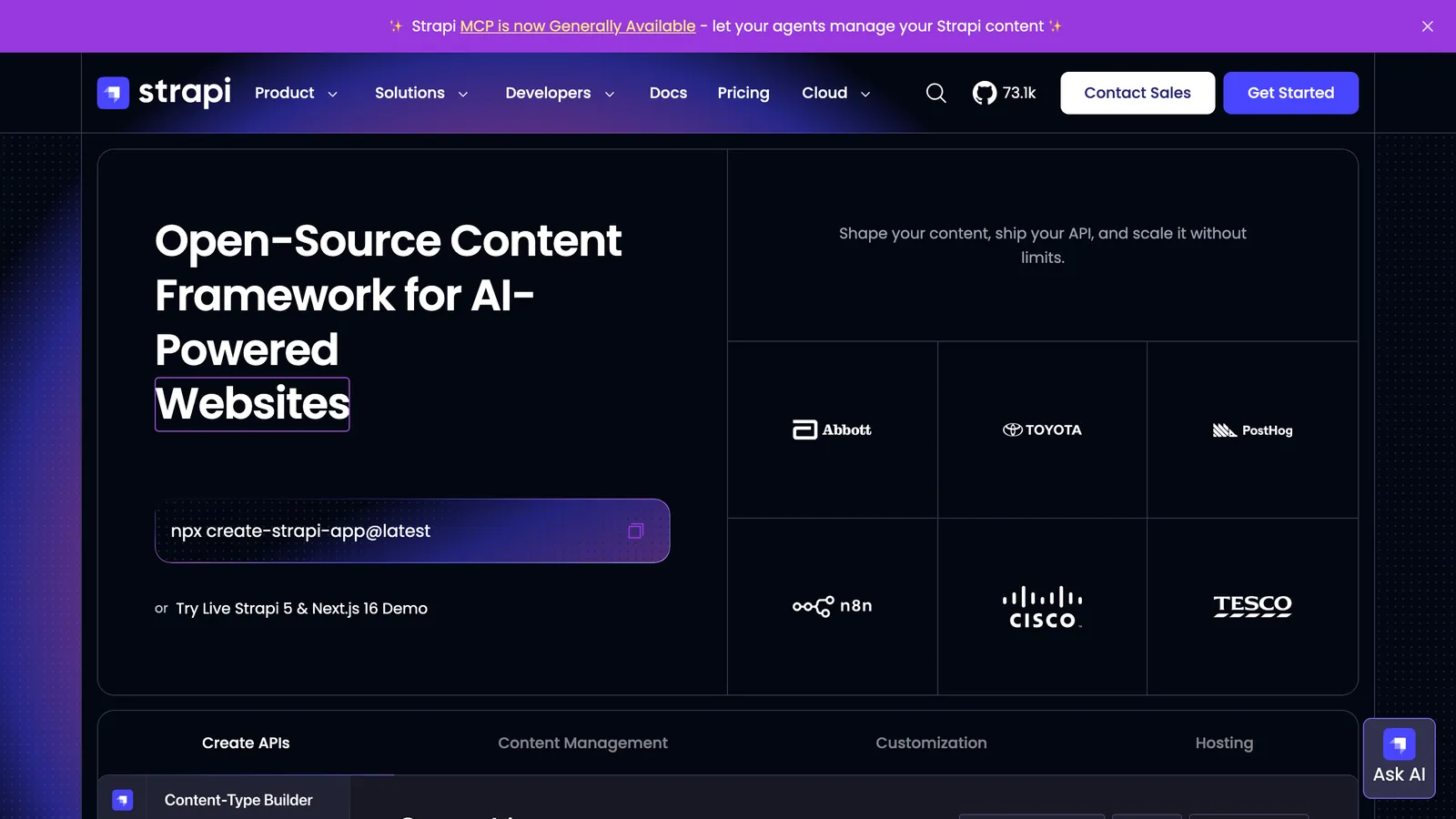
Best self-hosted open-source headless CMS
Strapi is the established open-source Node.js headless CMS: a self-hosted admin panel over your own SQL database, REST and GraphQL APIs, and a plugin ecosystem, with Strapi Cloud if you would rather not run it. The Community edition is free and MIT-licensed with unlimited usage.
It is an application to operate, not a layer over your repository: content lives in the database, and the governance features are tiered. Releases and content history start on the $45 per month Growth plan, and multi-stage Review Workflows are Enterprise-only.
Pros
- Free, MIT-licensed Community edition with unlimited usage
- Your database, your hosting, REST and GraphQL out of the box
- Large plugin ecosystem and active development
Cons
- Content leaves your repo; you operate a server and a database
- Review Workflows are Enterprise-only
- Cloud hosting from $35 per project per month
Pricing Community free (MIT); Growth $45/mo (3 seats, $15 per extra seat); Enterprise custom. Strapi Cloud from $35 per project per month.
 directus.com
- Headless platform
- Source-available
- Self-hosted
- SQL database
- Free Core
Best when the content is really a database
Directus wraps any SQL database in REST and GraphQL APIs and a no-code Data Studio, so it fits teams whose content is really relational data. Self-hosting is free under its grant for organizations under $5M in revenue with fewer than 50 employees, with content versioning, flows, and role-based access included.
It is source-available under the Monospace Sustainable Core License, not open source, and the pricing has a cliff: Core is free with a hard limit of 3 seats, and the next tier is Team at $499 per month on an annual commitment. There is no approval gate; publishing a version makes it current.
Pros
- Free Core tier and free self-hosting under the grant
- Any SQL database, REST and GraphQL, no-code Data Studio
- Content versioning, flows, granular roles
Cons
- Content leaves your repo; a database to operate
- Nothing between 3 free seats and $499/mo
- Source-available license, no approval step
Pricing Core free (3 seats); Team $499/mo billed annually or $599 monthly (10 SSO seats); Enterprise custom. Self-hosting free under the Open Innovation Grant.
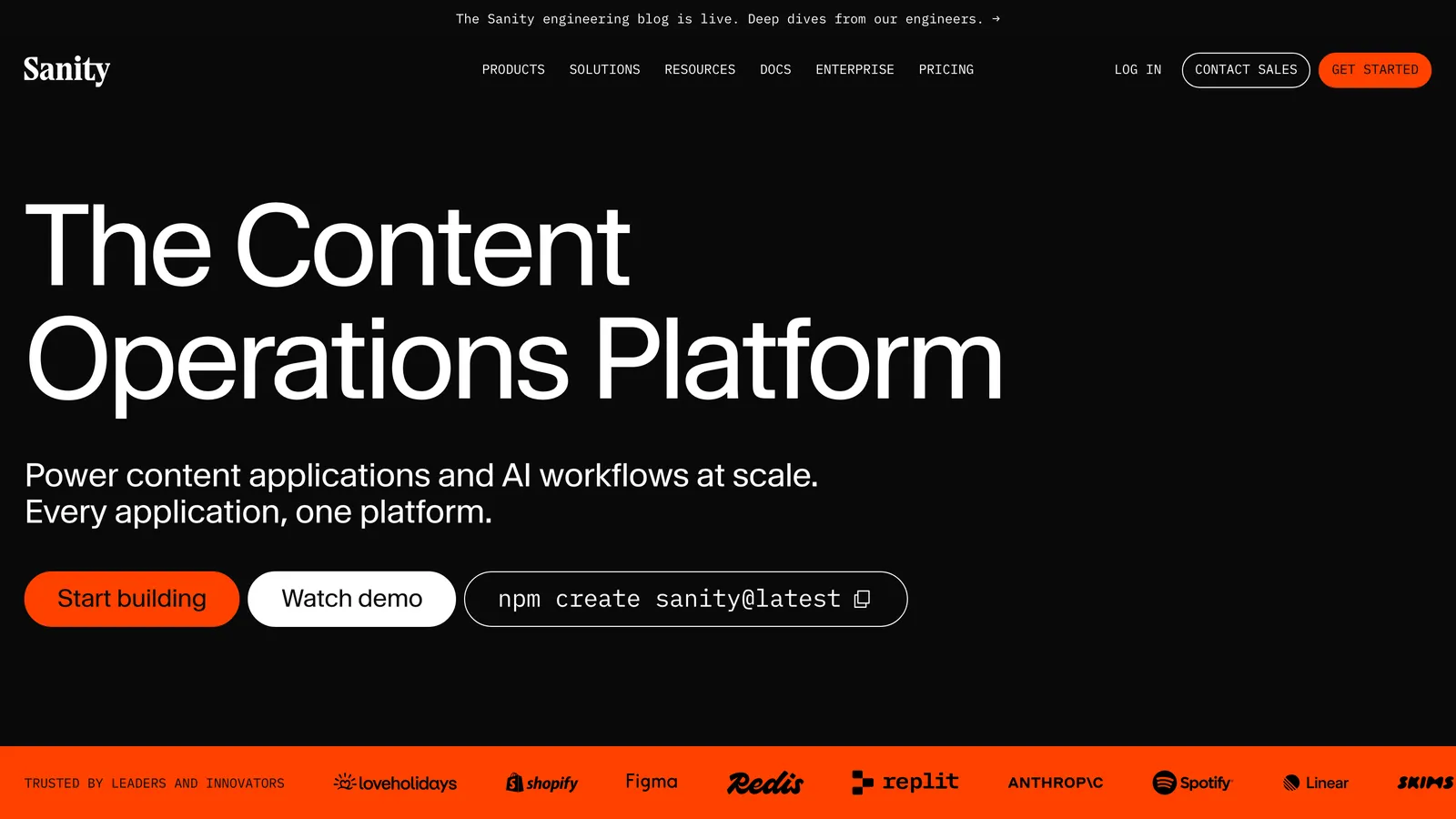
Best structured-content platform, with a free tier that goes far
Sanity is the most recommended headless CMS in the framework world: content lives in its hosted Content Lake, the open-source Studio is yours to shape, and Next.js, Astro, Nuxt, and SvelteKit are all first-class. The free plan is generous, up to 20 seats with two roles.
Coming from a Git-based panel it is more of everything: a schema you write and deploy, GROQ queries, and a migration of the content itself out of the repository. The permissions story surprises people. On Free, a client is either Administrator or Viewer; Editor and Contributor roles start on Growth at $15 per seat per month, and there is no approve-before-publish gate out of the box.
Pros
- Free plan with 20 seats; the Studio is open source
- Best-in-class structured content and real-time collaboration
- First-class SDKs for every major framework
Cons
- Content leaves your repo for the Content Lake
- Two roles on Free; an Editor role costs $15 per seat per month
- No approval step out of the box; content releases are Enterprise
Pricing Free up to 20 seats; Growth $15 per seat per month with pay-as-you-go usage; Enterprise custom. Self-serve plans are monthly only.
 contentful.com
- Headless platform
- Hosted
- Enterprise
- Free tier
- Per-seat
Best-known enterprise headless CMS
Contentful is the enterprise standard for hosted headless content, now part of Salesforce: spaces, content types, a mature API, and a large integration ecosystem. The free plan covers 10 users and 100K API calls a month, enough for a small site.
The step after free is steep. Lite is $300 per month for 20 users, workflows are not available on the Starter space that Free and Lite include, and the product is built for content operations teams, not for a client who changes a phone number twice a year.
Pros
- Mature platform with a deep integration ecosystem
- Free plan with 10 users and scheduled publishing
- Enterprise-grade governance when you need it
Cons
- Content leaves your repo
- The next tier is $300/mo, and an extra space $850/mo
- Workflows unavailable below Enterprise spaces
Pricing Free (10 users, 100K API calls/mo); Lite $300/mo (20 users); Enterprise custom.
 storyblok.com
- Headless platform
- Hosted
- Visual editor
- Workflow on free
- Per-seat
Best hosted headless CMS with visual editing and a workflow on every tier
Storyblok is a hosted headless CMS with a visual preview editor: editors click on components in a live preview of the site, and content is delivered by API to Next.js, Astro, Nuxt, SvelteKit, and Angular sites. Unusually for this category, its standard workflow (Drafting, Reviewing, Ready to Publish) is on every tier, including the free Starter.
It is priced per seat beyond the first: the free tier is one seat, Growth is $99 a month for five with $15 per extra seat, and scheduling, releases, and custom workflows sit on higher tiers. The content lives in Storyblok's database, so the migration is real.
Pros
- Visual editor with a live preview of your site
- Three-stage review workflow on every tier, free included
- Free Starter tier with generous API limits
Cons
- Content leaves your repo
- One seat on Free; $15 per extra seat
- Releases and custom workflows on Premium
Pricing Starter free (1 seat); Growth $99/mo (5 seats, $15 per extra); Growth Plus $349/mo (15 seats); Premium and Elite custom. 45-day Growth Plus trial.
 datocms.com
- Headless platform
- Hosted
- EUR pricing
- GraphQL
- Scheduling
Best structured headless CMS for European teams
DatoCMS is a hosted headless CMS with a GraphQL delivery API, an image and video pipeline, and structured text, well documented for Next.js, Nuxt, SvelteKit, and Astro. Priced in euros, with content versioning, rollbacks, custom roles, and scheduled publishing on the Professional plan.
The free plan is small, 300 records and a couple of editors, and Professional is €149 a month billed annually with 10 collaborators and €9 for each extra. Approval workflows, the custom state machine between draft and published, are Enterprise-only.
Pros
- Scheduled publishing, versioning, and custom roles on Professional
- Strong media pipeline and structured text
- Well-documented framework integrations
Cons
- Content leaves your repo
- Free plan capped at 300 records
- Approval workflows are Enterprise-only
Pricing Free (300 records); Professional €149/mo billed annually or €199 monthly (10 collaborators, €9 per extra); Enterprise custom.
 prismic.io
- Headless platform
- Hosted
- Cheap entry
- Releases on free
- Slices
Best cheap hosted headless CMS with releases on every tier
Prismic is a hosted headless CMS built around slices, reusable page sections, with a page builder for editors and Slice Machine for developers on Next.js, Nuxt, and SvelteKit. Releases, scheduling, previews, and unlimited documents are included on every tier, the free one too.
Users are what you pay for: one on Free, three on the $10 per month Starter, seven on Small at $25, and the custom roles that gate publishing arrive on Medium at $150. Prices are per repository, paid annually, and the content lives in Prismic.
Pros
- Releases and scheduled publishing on every tier
- Cheap entry: $10/mo for 3 users
- Slice-based page building editors understand
Cons
- Content leaves your repo
- Custom roles only from the $150/mo Medium tier
- Per-repository pricing, paid annually
Pricing Free (1 user); Starter $10/mo (3 users); Small $25/mo (7 users); Medium $150/mo (25 users, custom roles); Platinum $675/mo; per repository, paid annually.
 hygraph.com
- Headless platform
- Hosted
- GraphQL
- Free tier
- Federation
Best GraphQL-native headless CMS
Hygraph is a GraphQL-native headless CMS with content federation, meant for teams that stitch several content sources into one API. It documents integrations for more than forty frameworks and runtimes, from Next.js and Astro to Hugo and Eleventy.
The free Hobby plan gives three seats and 1,000 entries; Growth starts at $199 a month for 10 seats and 10,000 entries. Draft and published stages come standard, but scheduled publishing and custom workflows are Enterprise-only.
Pros
- GraphQL-first with content federation across sources
- Free Hobby plan with 3 seats
- Integrations documented for dozens of frameworks
Cons
- Content leaves your repo
- Growth is $199/mo for 10,000 entries
- Scheduling and workflows are Enterprise-only
Pricing Hobby free (3 seats, 1,000 entries); Growth from $199/mo (10 seats, 10,000 entries); Enterprise custom. 30-day Enterprise trial.
At a glance
Every Keystatic alternative, side by side.
| Model | Setup | Review before publish | Price | |
|---|---|---|---|---|
| CMS Brew | Hosted, chat-based | Connect repo, automatic mapping | Included, per-field guards | $39/mo, 5 sites |
| TinaCMS | In-site visual editor | Tina schema per site | Team Plus tier, $49/mo | OSS core; cloud from $29/mo |
| Sveltia CMS | Self-hosted panel | Config file + OAuth | PR drafts on GitHub/GitLab | Free (MIT) |
| Pages CMS | Hosted or self-hosted panel | Config file, email invites | No | Free (MIT) |
| Decap CMS | Self-hosted panel | config.yml + OAuth | Drafts via editorial workflow | Free |
| Sitepins | Hosted or self-hosted panel | Connect repo, fields auto-detected | Branch + PR flow on Pro | Free tier; $12 to $49/mo |
| CloudCannon | Hosted, visual editing | Editable regions per site | On Team tier | From $55/mo + $10/user |
| Outstatic | Panel in a Next.js app, or hosted | Next.js install or hosted dashboard | Draft or published only | Free; PRO $9.99/user/mo |
| GitCMS | Hosted Markdown editor | GitHub App, collections | Editorial workflow, on by default | $49 one-time per site |
| Front Matter CMS | VS Code extension | Local clone, frontmatter.json | No | Free (MIT) |
| Unfreez | Hosted, click-to-edit | Developer unlocks fields per site | No; undo per publish | €90 per site per year |
| CMS Chat | Hosted, chat-based | GitHub App, zones per site | Escalations open a PR | From €99/mo, 1 site |
| React Bricks | Hosted visual block CMS | Define bricks in code | Approval on Enterprise | Free; Professional $179/mo |
| Plasmic | Visual builder + headless CMS | Loader or codegen into the repo | No; scheduling on Scale | Free; from $39/mo |
| Nuxt Studio | Editor module inside a Nuxt site | Install module, connect repo | No; PRs on the roadmap | Free (MIT) |
| Netlify Visual Editor | Hosted visual layer | Netlify site + content source | Builder and Publisher roles; PR mode | Netlify Pro $20/mo |
| Spinal | Hosted Markdown CMS | Connect GitHub, pick folders | Roles only, no approval | $39/mo |
| Payload | Self-hosted app CMS | Code-first, database-backed | Drafts; workflows on Enterprise | Free (MIT); Enterprise custom |
| Strapi | Self-hosted headless CMS | Content types, database, hosting | Review Workflows on Enterprise | Free; Growth $45/mo |
| Directus | Database-backed headless CMS | Connect a database, model collections | Versioning, no approval gate | Free Core; Team $499/mo |
| Sanity | Hosted content platform | Schema, Studio deploy, content migration | None built in; releases on Enterprise | Free; Growth $15/seat/mo |
| Contentful | Hosted content platform | Content model, SDK, content migration | Scheduling; workflows on Enterprise | Free; Lite $300/mo |
| Storyblok | Hosted headless + visual editor | Component schema, API integration | Standard workflow on all tiers | Free; Growth $99/mo |
| DatoCMS | Hosted headless CMS | Content model, GraphQL integration | Scheduling; workflows on Enterprise | Free; Professional €149/mo |
| Prismic | Hosted headless CMS | Slices, Slice Machine, API | Releases and scheduling on all tiers | Free; from $10/mo |
| Hygraph | Hosted GraphQL CMS | Schema, GraphQL integration | Draft/published; scheduling on Enterprise | Free; Growth $199/mo |
When to stay with Keystatic
Keystatic is excellent at what it is for. Stay when:
- Your editors are developer-adjacent, have GitHub accounts, and edit often enough to stay fluent.
- You value files clean enough to edit by hand, and the two-way editing keeps them that way.
- Free and open source is a hard requirement and direct publishing is acceptable.
FAQ
What people ask about Keystatic alternatives.
Stop being the person who updates the phone number.
Give your client the keys to the content. Keep the keys to the code.
Prefer to talk first? Book a 30-minute call